|
| v1.7 update |
|
| |
|
| |
| In
v1.7 of INETBENCH
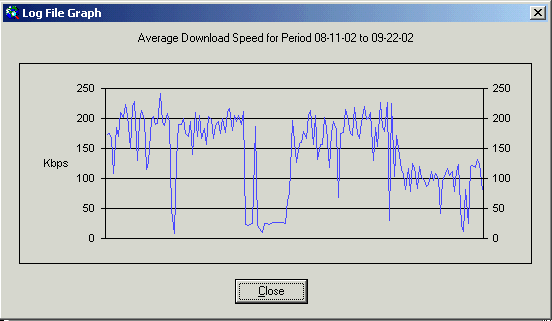
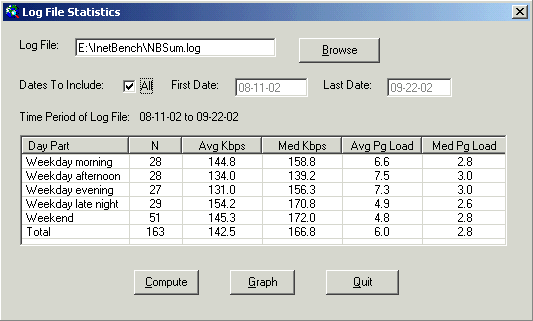
we've added a new tool to analyze the results of multiple INETBENCH
runs. Each time
you run the program and have the "Log Results" option on, a
summary of the results is automatically recorded. From the
TOOLS menu you can then select an option that will summarize performance
data, as shown in the screenshots below. And there's also an
"auto" command line option which allows you to run INETBENCH
in "automated" mode, i.e, with no interaction needed on your
part. This option can be used to schedule INETBENCH runs
via whatever scheduling software you like, so that you can set up an
automated procedure for tracking the performance of your internet
connection over time.
| |
| |
|
| |
|
| |
|
| |
|
| |
|
| |
|
| |
|
Return to ThirdRing.net software. | |